
If you’re running a Wi-Fi hotspot in Kenya, Nigeria, South Africa, Uganda, or anywhere across Sub-Saharan Africa, your customers pay with mobile money, EFT, prepaid vouchers — not cards. Powerlynx is the only global cloud hotspot management platform with 8 Africa-focused payment gateways natively integrated, covering every major market from Nairobi to Cape Town to Lagos.
This article covers every African gateway available on Powerlynx: what each one is, which countries it covers, exactly what credentials you need, and the precise configuration path inside the platform. All details are based directly on Powerlynx documentation.
| ☆ Read also: How to Launch a Paid Wi-Fi Voucher Business
The foundational guide to pricing, vouchers, and building a paid Wi-Fi business. |
All 8 African Payment Gateways on Powerlynx at a Glance
| Gateway | Countries | Payment Methods |
| Safaricom M-PESA
|
Kenya + 7 more M-PESA markets |
Lipa Na M-PESA Online (captive portal redirect)
|
| MTN MoMo
|
14 African countries.
|
MTN mobile wallet (redirect to MTN confirmation page)
|
| Paystack
|
Nigeria, Ghana, Kenya, South Africa, CI
|
Cards, mobile money, bank transfer, USSD
|
| DPO Pay
|
17 countries (Africa + UAE)
|
Cards (Visa/Mastercard) + mobile money (Tigo, Airtel, Vodacom M-PESA, Zantel)
|
| PayFast
|
South Africa only
|
Cards, Instant EFT, MTN MoMo, Mukuru Pay, and more
|
| Netcash
|
South Africa only
|
Credit card, Bank EFT, 1Voucher, others
|
| 1Voucher
|
South Africa only
|
Cash-to-PIN voucher redeemed at captive portal
|
| OTT Voucher
|
South Africa only
|
Cash-to-PIN voucher redeemed at captive portal
|
All 8 gateways are available on every Powerlynx plan – see powerlynx.app/integrations. Multiple gateways can be active simultaneously on the same account.
1. Safaricom M-PESA

Powerlynx’s Safaricom M-PESA integration uses Lipa Na M-PESA Online. When a customer selects a Wi-Fi package, they are redirected to the M-PESA payment page, confirm with their M-PESA PIN, and their session activates automatically via callback.
Required credentials
From your Safaricom developer account at developer.safaricom.co.ke:
- Consumer Key
- Consumer Secret
- Shortcode (Pay Bill, Buy Goods, or Till Number)
- Lipa Na M-PESA Online Passkey
Configuration path in Powerlynx
Config / Finance / Payment Gateways / Safaricom M-PESA
Enter all four credentials → click Register to connect callback URLs → test in Sandbox → set country to Kenya under Config / System / Localization. Per-location Shortcode configuration is supported.
2. MTN MoMo

Powerlynx’s MTN MoMo integration covers 14 African countries: Benin, Cameroon, Congo, Ghana, Guinea, Guinea-Bissau, Liberia, Nigeria, Rwanda, Eswatini, Uganda, South Africa, Zambia, South Sudan. Customers selecting MTN Pay are redirected to the MTN confirmation page; sessions activate automatically on callback. API reference: momodeveloper.mtn.com.
Required credentials
- API User
- API Key
- Subscription Key
- Target Environment (varies by country)
Configuration path in Powerlynx
Config / Finance / Payment Gateways / MTN MoMo
Enter credentials → in your MTN account, set the Payment Server URL to your Powerlynx URL + /mtn-pay/callback and set Provider Callback Host to your Powerlynx domain → configure country-specific phone number prefixes → set currency per location.
3. Paystack

Powerlynx’s Paystack integration covers Nigeria, Ghana, Kenya, South Africa, and Côte d’Ivoire. Paystack accepts multiple payment channels in a single integration: local cards, mobile money (MTN, AirtelTigo, Vodafone), bank transfers, and USSD. Payment confirmation uses webhooks, triggering immediate session activation.
Required credentials
- Secret Key from your Paystack account under Preferences / API Keys & Webhooks
Configuration path in Powerlynx
Config / Payment Gateways / Paystack
Paste your Secret Key → select currency for your location → in Paystack, register the Webhook URL: https://your.powerlynx.app/paystack/webhook → set country under Config / System / Localization. See paystack.com/pricing for current transaction fees.
4. DPO Pay

Powerlynx’s DPO Pay integration has the broadest multi-country coverage of any gateway on the platform: Botswana, Malawi, Rwanda, Uganda, Mauritius, Côte d’Ivoire, South Africa, Zambia, Ghana, Namibia, Tanzania, Zanzibar, Kenya, Nigeria, UAE, Zimbabwe, and DRC. Customers select DPO Pay on the captive portal and are redirected to choose their payment method — credit/debit card (Visa, Mastercard) or mobile money (Tigo Pesa, Vodacom M-PESA, Airtel Money, Zantel, and others depending on country).
Required credentials
- Company Token, Service Type – both from your DPO Pay merchant account.
Configuration path in Powerlynx
Config / Finance / Payment Gateways / DPO Pay
Enter Company Token and Service Type → contact your DPO account manager to set up the webhook URL (your Powerlynx base URL + /dpo-pay/result) — payment confirmation will not reach Powerlynx without this step → select currency per location.
| Important: The DPO Pay webhook must be configured by your DPO account manager — this is not self-service. Contact DPO before going live. |
5. PayFast

Powerlynx’s PayFast integration is for South Africa only. PayFast is one of South Africa’s leading payment gateways, supporting cards, Instant EFT, MTN MoMo, Mukuru Pay, and more. The available payment methods are managed from within your PayFast merchant dashboard, giving you full control over what customers see at the captive portal.
Required credentials
Merchant ID, Merchant Key, Salt Passphrase – all from your PayFast merchant account.
Configuration path in Powerlynx
Config / Finance / Payment Gateways / PayFast
Enter all three credentials (use sandbox credentials for testing, live credentials for production) → set country to South Africa under Config / System / Localization → per-location PayFast merchant account configuration is supported.
6. Netcash

Powerlynx’s Netcash integration is for South Africa only. Netcash supports credit card, Bank EFT, 1Voucher, and other methods – all controlled from within your Netcash merchant dashboard (no Powerlynx changes needed to enable or disable payment methods).
Required credentials
Service Key, retrieved from your Netcash account: Account Profile / NetConnector / Pay Now
Configuration path in Powerlynx
Config / Finance / Payment Gateways / Netcash
Enter your Service Key → in your Netcash dashboard, configure the four notification URLs (Accept URL, Decline URL, Notify URL, Redirect URL) using your Powerlynx base URL → add the Netcash walled garden hosts to your hotspot router (the Powerlynx integration page lists all required hosts, covering major South African banks and 3D Secure infrastructure) → set country to South Africa under Config / System / Localization.
7. 1Voucher

Powerlynx’s 1Voucher integration serves cash-first customers in South Africa. 1Voucher is a prepaid digital payment voucher that converts cash into a PIN: customers buy a voucher at any participating retail store, then enter the PIN at the captive portal to pay for Wi-Fi access – no bank account or card required.
Change management is built in: if the voucher value is higher than the data plan price, 1Voucher automatically generates a new voucher for the remaining balance and sends it to the customer’s phone number via SMS.
Required credentials
- API Key (required)
- Account Number (required)
- Store ID (optional)
- Terminal ID (optional)
- Environment: Production or Staging
Configuration path in Powerlynx
Config / Finance / Payment Gateways / 1Voucher
Enter credentials → select Production or Staging environment → set country to South Africa under Config / System / Localization.
See also: 1Voucher Payments for Wi-Fi Hotspots.
8. OTT Voucher

Powerlynx’s OTT Voucher integration works the same way as 1Voucher: customers purchase a prepaid PIN voucher at a retail location and redeem it at the captive portal for Wi-Fi access — no card or bank account required. OTT Voucher is South Africa only and is designed for township ISPs and community hotspot networks.
Required credentials
- API Username
- API Password
- API Key
- Vendor ID
All from OTT after establishing a merchant account
Configuration path in Powerlynx
Config / Finance / Payment Gateways / OTT
Enter all four credentials → select Testing or Production in the Environment field (always test first) → set country to South Africa under Config / System / Localization.
See also: OTT Voucher Integration is Now Live on Powerlynx.
Choosing the Right Gateway for Your Market
Powerlynx supports multiple active gateways per account, each configurable per location, so you can pick not just one. Here is a practical guide by market:
| Your market | Recommended gateway(s) | Why |
| Kenya
|
Safaricom M-PESA
|
Dominant payment method; STK Push flow is frictionless for Kenyan customers
|
| Tanzania
|
Safaricom M-PESA + DPO Pay
|
M-PESA active in TZ; DPO adds Tigo Pesa, Airtel Money, Zantel coverage
|
| Uganda
|
MTN MoMo + DPO Pay
|
MTN MoMo is dominant; DPO adds Airtel Money
|
| Nigeria
|
Paystack + MTN MoMo
|
Paystack covers cards + mobile money; MTN MoMo extends unbanked reach
|
| Ghana
|
MTN MoMo + Paystack
|
MTN MoMo dominant; Paystack covers AirtelTigo/Vodafone mobile money + cards
|
| South Africa
|
PayFast or Netcash + 1Voucher + OTT Voucher
|
PayFast/Netcash for banked customers; 1Voucher/OTT for cash-first/unbanked
|
| Multi-country
|
DPO Pay
|
Single integration covering 17 countries across Africa and UAE
|
| Mixed market
|
All relevant gateways
|
Powerlynx supports all simultaneously — present each per location
|
What African Operators Are Earning
Powerlynx powers 400,000+ monthly Wi-Fi users for 200+ ISPs across 25 countries, built by the Splynx team – 900+ ISP customers worldwide. Operators selling 1,000 vouchers per month at a $2 average typically achieve 85-90% gross margins after gateway fees. Most operators go from sign-up to first sold session in a single working day.
Operators who want to monetize without charging users can use Powerlynx’s Wi-Fi advertising module – video and image ads on the splash page in exchange for free access.
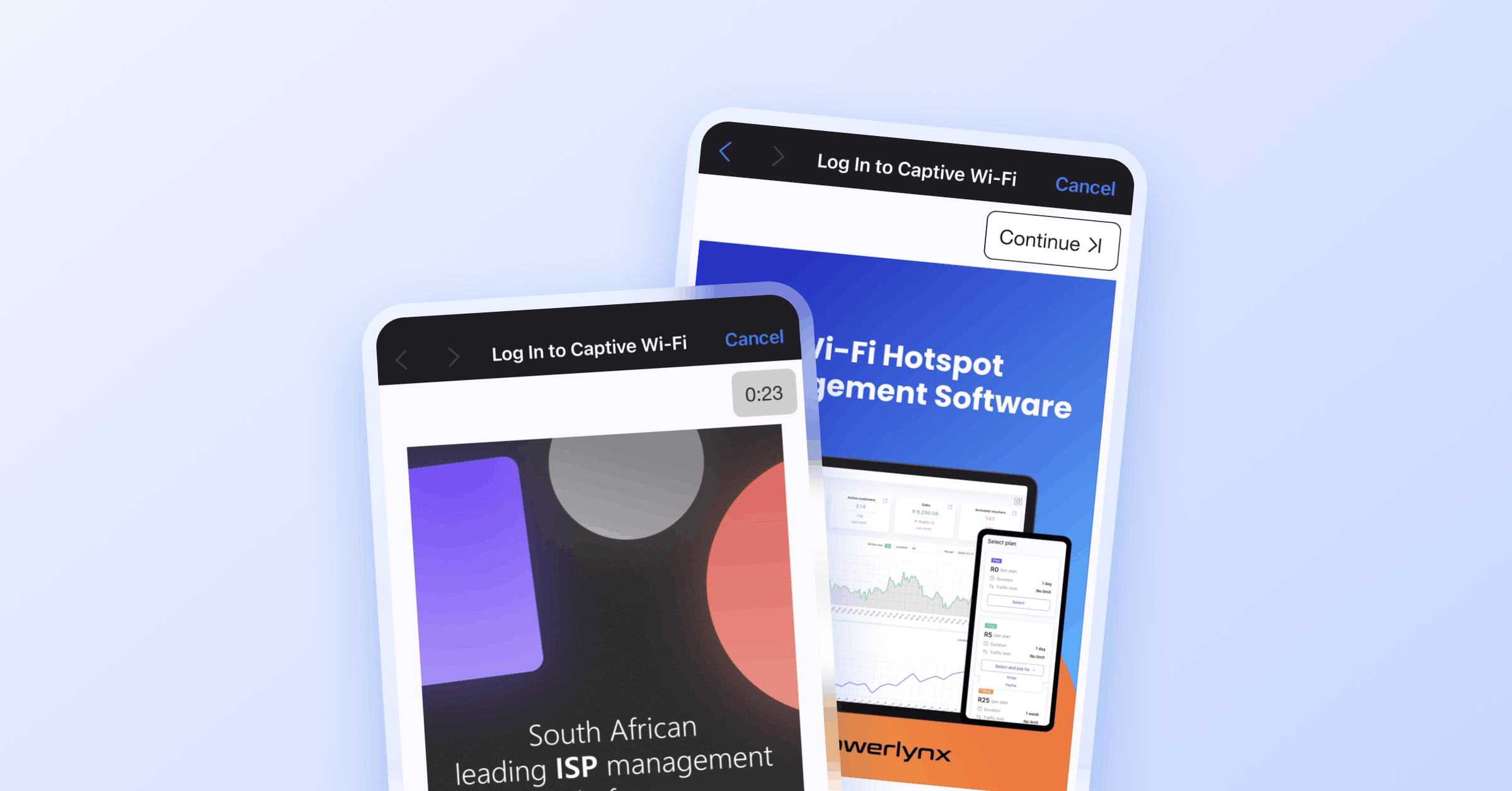
See: Boost Wi-Fi hotspot monetization with ads.
| ☆ Read also: How to Launch a Paid Wi-Fi Voucher Business
Complete guide to pricing, hardware setup, and voucher configuration. |
Get Started with Powerlynx Today
All 11 payment gateways — including every African gateway in this article — are available on the Powerlynx 21-day free trial, no limitations in features.
The quick-start guide gets you from account creation to a live captive portal in about 10 minutes. Hardware guides are available for MikroTik (under 5 minutes with the auto-generated script), Cambium, Teltonika, Ruckus, Nokia, and Cudy.
Watch the Powerlynx Overview Webinar for a full platform walkthrough – gateways, hardware, and revenue setup.
Frequently Asked Questions
How many African payment gateways does Powerlynx support?
Powerlynx has 8 Africa-focused payment gateways out of 11 total: Safaricom M-PESA, MTN MoMo, Paystack, DPO Pay, PayFast, Netcash, 1Voucher, and OTT Voucher. All are available at powerlynx.app/integrations and can be active simultaneously on a single account.
Which gateway covers the most African countries?
DPO Pay covers the most ground: 17 countries — Botswana, Malawi, Rwanda, Uganda, Mauritius, Côte d’Ivoire, South Africa, Zambia, Ghana, Namibia, Tanzania, Zanzibar, Kenya, Nigeria, UAE, Zimbabwe, and DRC. It supports both cards and mobile money. See: DPO Pay integration on Powerlynx.
Which gateways are available for South Africa specifically?
South Africa has the richest gateway selection on Powerlynx: PayFast (cards, EFT, MTN MoMo, Mukuru Pay), Netcash (credit card, Bank EFT, 1Voucher), 1Voucher (cash-to-PIN retail vouchers), OTT Voucher (cash-to-PIN retail vouchers), plus Paystack, MTN MoMo, and DPO Pay also active in SA.
Does Powerlynx natively support M-PESA for Wi-Fi hotspot payments?
Yes. Powerlynx uses Lipa Na M-PESA Online. Configure four credentials (Consumer Key, Consumer Secret, Shortcode, Passkey) at Config / Finance / Payment Gateways / Safaricom M-PESA, click Register to connect callbacks, and test in Sandbox. API reference: developer.safaricom.co.ke.
What is the difference between 1Voucher and OTT Voucher?
Both are South Africa-only cash-to-PIN voucher systems sold at retail stores and redeemed at the captive portal — ideal for unbanked and cash-first customers. The key difference is the voucher network: 1Voucher has automatic change management (remaining balance SMS’d as a new voucher), while OTT Voucher launched in February 2026 as an additional retail voucher option. Many South African operators run both simultaneously.
Can I run multiple payment gateways at the same time on Powerlynx?
Yes. Powerlynx supports multiple active gateways per account, each configurable per location. A South African operator can run PayFast + Netcash + 1Voucher + OTT Voucher simultaneously. A Nigerian operator can run Paystack + MTN MoMo at the same time. All gateways are included in the standard Powerlynx plan with no extra fee per gateway.
What transaction fees do these gateways charge?
Gateway fees are set by each payment provider and change over time. Always verify current rates directly: Safaricom, MTN MoMo, Paystack. DPO Pay, PayFast, and Netcash rates are available through their respective merchant portals. These fees are separate from Powerlynx’s platform fee of $0.25 per concurrent online user per month.
How quickly can I go live?
According to Powerlynx, most operators go from sign-up to first sold session in a single working day. The quick-start guide covers the platform side in about 10 minutes. MikroTik hardware configuration takes under 5 minutes with the auto-generated script (guide here). Gateway credential setup (Safaricom Paybill registration, DPO webhook, etc.) depends on each provider’s own approval timelines.
What hardware works with Powerlynx?
Powerlynx officially supports MikroTik, Cambium, Nokia, Cudy, Ruckus, and Teltonika. Any device capable of RADIUS communication and external captive portal redirection also works. Guides: MikroTik, Cambium, Teltonika, Cudy, Ruckus.